




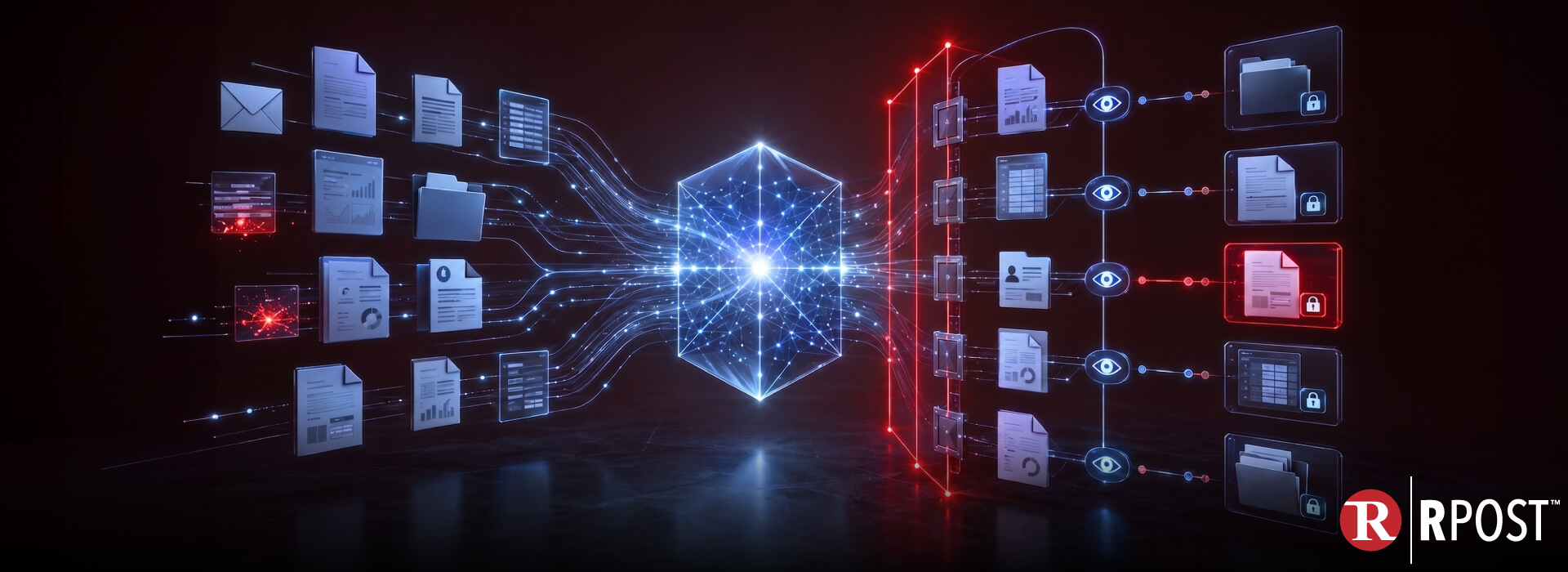
Your next major data breach may not begin with an attacker breaking into your network. It may begin with an approved AI agent doing exactly what it was asked to do.
Imagine an AI agent supporting a finance team. It can read email, search shared folders, review invoices, compare contracts, update a payment system, and draft messages to vendors. Asked to resolve an invoice discrepancy, it finds the relevant documents and completes in minutes what previously took an employee several hours.
But the same access could allow the agent to discover confidential acquisition plans, summarize privileged legal advice, expose customer records, or act on fraudulent payment instructions hidden inside a compromised email.
That is the trade-off facing enterprise leaders: the productivity value of AI agents comes from giving them access to business content and permission to act. Those same capabilities also multiply the consequences of weak permissions, excessive access, hidden instructions, and poor content controls.
A human might open five files in an hour. An AI agent can search thousands, combine information across departments, and act on the result in seconds. It does not need to “steal” a document to create exposure. It may summarize the document, extract its most sensitive details, place them in another system, or send them to someone who should never have received them.
This is why AI agent security cannot focus only on protecting models and prompts. It must also address the business content agents can read, interpret, reproduce, share, and act on.
For CISOs, CIOs, and enterprise risk leaders, the question is no longer simply, “Have we approved this AI tool?” It is:
Can we see what our AI agents are accessing, understand what they are doing with it, and stop access when the context changes?
Answering that requires more than AI governance policies. It requires AI observability across identities, business content, communications, permissions, and actions—combined with controls that continue protecting sensitive information after it leaves the organization.
AI assistants and copilots typically help users find, summarize, or create information. AI agents can go further by completing multi-step tasks across connected business systems.
Depending on their integrations and agent permissions, they may be able to:
Consider an agent asked to “prepare everything needed for tomorrow’s acquisition meeting.” It might search executive email, legal correspondence, financial projections, customer agreements, HR records, meeting transcripts, and shared files.
The result could be highly useful. It could also reveal how many disconnected permissions have accumulated around the employee, service account, application, and repositories involved.
Traditional access models were built around people opening individual resources. Agentic AI security must account for machines that can retrieve, correlate, transform, and redistribute information at scale.
The productivity and the risk come from the same capability: reach.
Most identity and access management systems answer a binary question: Is this identity permitted to access this resource?
AI agents make that question inadequate.
An employee may legitimately have access to thousands of documents accumulated across projects and roles. That does not necessarily mean an AI agent working on one task should be allowed to process all of them.
The agent may also operate through:
A technically valid permission does not prove that the access was necessary, appropriate, or safe.
OWASP identifies “excessive agency” as a risk involving too much functionality, permission, or autonomy. Recommended protections include limiting tool capabilities, applying minimum permissions, executing actions in the user’s context, and requiring human approval for high-impact actions.
This means AI access control must evaluate more than identity. It should also consider purpose, content sensitivity, business context, requested action, destination, and time.
Giving an agent the same permissions as a person does not create the same level of risk.
A person’s time and attention naturally limit how much information they can process. An AI agent can search large volumes of sensitive business data, connect details across systems, and generate a consolidated result almost immediately.
An employee may separately have access to:
Each permission may be defensible on its own. But an AI assistant could combine all five sources into one summary that exposes far more than any individual document.
Agents also transform information. They can quote, translate, classify, reformat, or insert it into a new email or file. When sensitive content is removed from its original location, the source system’s document visibility rules may no longer travel with it.
Enterprise teams therefore need to ask:
These questions turn enterprise AI security into a content and action-control problem, not merely an authentication problem.
AI data leakage does not always involve a malicious insider or sophisticated cyberattack. It often begins with a reasonable attempt to save time.
A user submits a customer list, legal agreement, source document, or financial analysis to an external service without understanding how the information will be retained or processed.
A long email thread may contain personal information, privileged legal advice, payment details, or confidential strategy. A summary makes those details easier to consume—and easier to forward.
An agent may need one project folder but be connected to an entire shared drive. A single request can then draw from internal documents outside the task’s intended scope.
An answer may be factually correct while containing information the recipient is not authorized to see.
Attackers can place agent-directed instructions inside emails, documents, webpages, links, images, or metadata. A human may see ordinary content while an AI assistant processes a hidden prompt instructing it to suppress a warning, retrieve more information, or send data elsewhere.
If an attacker has accessed a supplier mailbox, the agent may encounter convincing but fraudulent invoices, delivery instructions, or payment changes. Automation can accelerate the wrong decision as efficiently as the right one.
These scenarios show why GenAI data security must protect both content entering AI workflows and content produced or redistributed by them.
Shadow AI includes applications, browser extensions, meeting assistants, automation services, and agents used without formal approval or adequate oversight.
Employees usually adopt these tools to solve real productivity problems. They want to summarize a document, analyze a spreadsheet, rewrite an email, or avoid repetitive work.
However, security teams may not know:
These shadow AI risks become more serious when tools move from one-time prompts to persistent access across mailboxes, cloud storage, collaboration platforms, and business applications.
A policy banning unapproved AI will not provide enough visibility. Organizations also need usable approved tools, employee education, technical enforcement, and evidence of how AI is appearing inside everyday workflows.
Building AI Observability Around Business Content
Many AI observability programs focus on model performance: response quality, latency, token consumption, failures, and hallucinations. Those measures are useful, but they do not give a CISO enough information to manage AI workflow security.
Security-focused AI observability should answer five practical questions:
| Area | What the organization needs to see |
| Identity | Which user, service account, application, or agent initiated the activity? |
| Content | Which emails, attachments, records, links, and documents did it access? |
| Context | What task was the agent completing, and was the access appropriate for that purpose? |
| Action | Did it read, summarize, copy, modify, download, forward, or send the information? |
| Outcome | Where did the content go, who accessed it afterward, and can access still be restricted? |
This requires telemetry from several layers: identity systems, AI platforms, endpoints, browsers, APIs, SaaS applications, email, file sharing, and the documents themselves.
The objective is not to record every AI action and produce another unmanageable stream of alerts. It is to connect signals into an understandable chain:
Agent A, acting for User B, accessed Document C, generated Summary D, and sent it to Destination E.
Once that chain is visible, policies can identify exceptions: an unapproved AI recipient, a sensitive attachment, an unexpected destination, a hidden prompt, unusual document access, or a high-impact action performed without review.
Data loss prevention remains an essential part of AI data security. It can detect regulated data patterns, block selected uploads, and apply policies when content moves through monitored channels.
But DLP does not always understand why information matters.
A contract can be highly confidential without containing a standard regulated-data pattern. A spreadsheet may become sensitive when combined with a customer name and an upcoming transaction. An ordinary-looking email might disclose who approves payments, when an executive is traveling, or when a deal will close.
DLP may also lose visibility after an authorized delivery. Once a file reaches a recipient, unmanaged application, personal device, or third party, the sender may have little ability to control what happens next.
Effective business content security should combine DLP with:
DLP helps determine whether information should leave. Additional controls govern what happens after it does.
A practical AI governance program should establish controls across the complete content lifecycle.
Agents should operate under identifiable, task-appropriate credentials—not invisible or broadly privileged shared accounts.
Limit access by mailbox, folder, repository, document type, sensitivity, purpose, and time. Everything visible to an employee should not automatically be available to an agent.
Read, summarize, create, modify, forward, send, and delete permissions should be distinct. A research agent rarely needs the ability to send payment instructions.
Email and documents should be checked for hidden prompts or embedded instructions designed to manipulate AI assistants.
Human review should remain part of workflows involving financial changes, legal commitments, external disclosures, sensitive customer data, or privileged material.
Security and compliance teams need logs that connect identities, content, actions, destinations, and outcomes.
The organization should be able to track access, restrict readers, expire content, or revoke access when circumstances change.
This is where data governance, content governance, identity controls, and AI observability need to operate as one system.
Enterprise security often concentrates on the moment information leaves the organization. But delivery is not the end of the risk lifecycle.
A valid recipient can later be compromised. A shared link can be forwarded. A vendor’s credentials can be stolen. An AI agent can index a document weeks after the original transaction. Content that was safe to share yesterday may become sensitive after a deal changes or an employee leaves.
Post-delivery control gives an organization options after the send, including:
Post-delivery visibility is also part of AI observability. It helps answer not just what an agent was allowed to access, but what actually happened to the content afterward.
RPost can complement an enterprise’s identity, endpoint, DLP, CASB, SSE, email gateway, and AI platform controls by adding visibility and control at the email, communications, and content layers.
This matters because sensitive business information often moves before and after an AI interaction: an email is summarized, an attachment is analyzed, an AI-generated answer is forwarded, or a protected file is opened through a persistent link.
RAPTOR™ AI Threat and AI Observability is designed to identify signs of AI use inside business email. It can detect indicators associated with AI-generated emails and attachments, AI recipients, AI tool references, and links to AI domains. It also includes hidden-prompt and prompt-injection detection for instructions intended to manipulate assistants or agents. Policies can then flag, block, log, isolate, or route selected communications for review. RPost positions this as an email-specific layer that complements. RAPTOR AI Observability Module
RAPTOR AI Intelligent Collaboration Security extends that visibility into shared links, protected documents, meeting-related content, and collaboration workflows. It is designed to detect suspicious shared-content access, identify embedded agent-directed instructions, correlate access with possible reconnaissance, and apply AI Auto-Lock™ to RPost-protected content when high-risk activity is detected. RAPTOR AI Intelligent Collaboration Security
RMail® helps protect sensitive email content and attachments through encryption, tracking, and outbound security and compliance controls.
RDocs® converts files into Rights Protected Documents. Originators can track reader activity, restrict authorized readers, limit sharing, apply location-based protections, set expiration conditions, ban readers, or kill access after delivery—without requiring special reader software. RDocs document security overview
Registered Email™ provides verifiable evidence of message content, attachment content, timestamps, and delivery through the Registered Receipt™. This helps preserve an auditable record when AI-assisted workflows involve high-value or regulated communications.
RPostONE™ brings these capabilities together so security, compliance, legal, and business teams can manage secure communications, protected documents, delivery evidence, and RAPTOR AI insights through one experience.
RPost’s role is therefore not to replace the enterprise AI platform or become the organization’s entire AI governance system. Its value is to help close an important visibility and control gap: what happens when AI, people, email, documents, third parties, and business actions intersect.
Enterprises should not have to choose between AI productivity and security. But productivity cannot be measured only by how many tasks an agent completes. Leaders must also understand what the agent accessed, what it produced, where the information went, and whether the organization can still intervene.
AI agents make existing permission problems faster and more consequential. They can discover forgotten access, combine isolated facts, reproduce sensitive material, and act across systems at machine speed.
That makes AI observability a board-level security requirement—not simply a technical monitoring feature.
The priority is no longer only whether an AI tool is approved. It is whether the organization can:
If an organization cannot control what people, AI agents, and third parties can see after content is shared, then approving the AI is only the beginning of the security decision.

October 07, 2026

September 30, 2026

September 25, 2026

September 18, 2026

August 20, 2026





 Cybersecurity Insights